See exactly what went wrong.
Every run keeps its full output and exit status. No SSH, no grep, no guessing which server wrote the log.
SQLSTATE[HY000]: General error: 1021 Disk full
Command failed with exit status: 1
Run duration: 41 seconds
![View Run page for the Weekly reports task. Status Failed, run duration 41 seconds. The output shows 'Building revenue report... done (4 charts)', then 'Building usage report...' followed by an Illuminate Database QueryException: SQLSTATE HY000 General error 1021 Disk full, and '[ERROR] Command failed with exit status: 1'.](assets/03-failed-run-output-light.jpg)
Cron Pilot is an open-source, self-hosted control panel for scheduling, running and monitoring jobs on your servers.
Stop SSHing into production to edit crontabs, hunt through logs, and figure out why last night's job failed.
A job that processed recurring donations stopped running. Nobody noticed for three days. By then, hundreds of thousands of dollars in donations had been missed.
Cron itself was fine. The job failed silently, on a server nobody was watching, with its output going nowhere.
| With crontab | With Cron Pilot |
|---|---|
| SSH into each server to edit jobs | Manage every job from one web UI |
Hand-write */15 9-17 * * 1-5 | Build schedules visually and preview the next runs |
grep through logs for output | Every run's output, exit status and duration, kept |
| "Did that actually run last night?" | SuccessfulFailedSkipped at a glance |
| Wait for the schedule to test a job | Run it now |
| Comment out a line to stop a job | Pause and resume with a toggle |
These are real screenshots from the demo data. Nothing here is a mockup.
Every run keeps its full output and exit status. No SSH, no grep, no guessing which server wrote the log.
SQLSTATE[HY000]: General error: 1021 Disk full
Command failed with exit status: 1
Run duration: 41 seconds
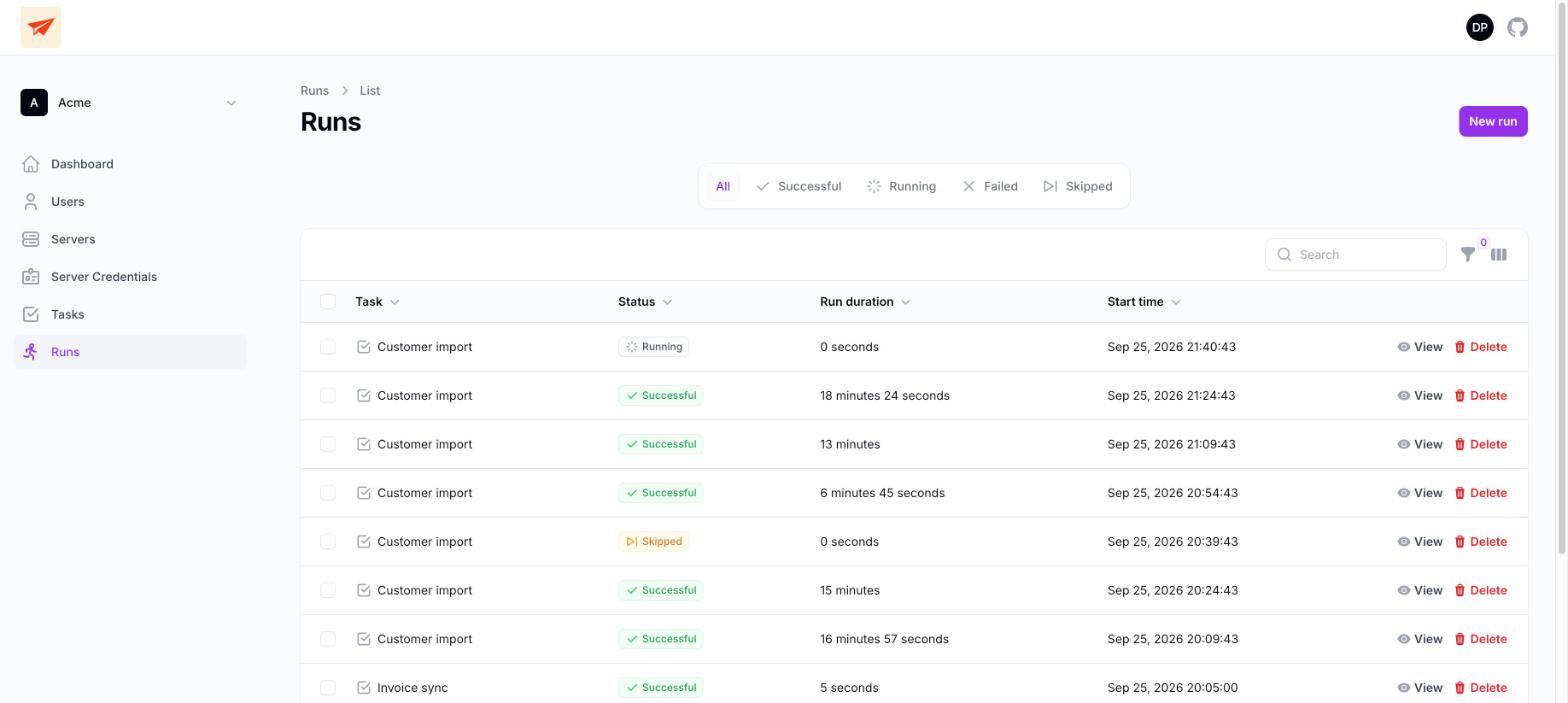
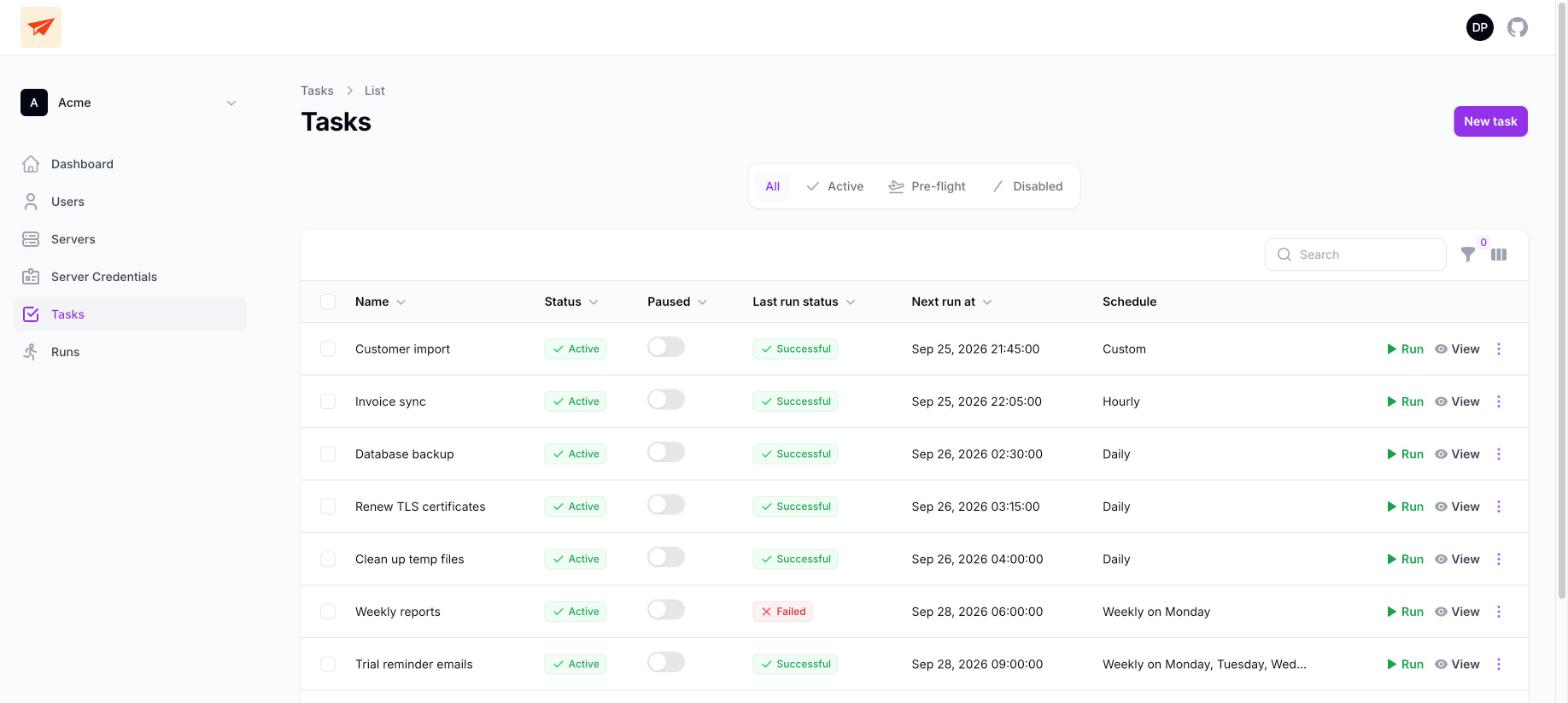
Running, Successful, Failed and Skipped, with start times and durations. That 20:39 Skipped is the overlap guard at work: the previous import was still going.
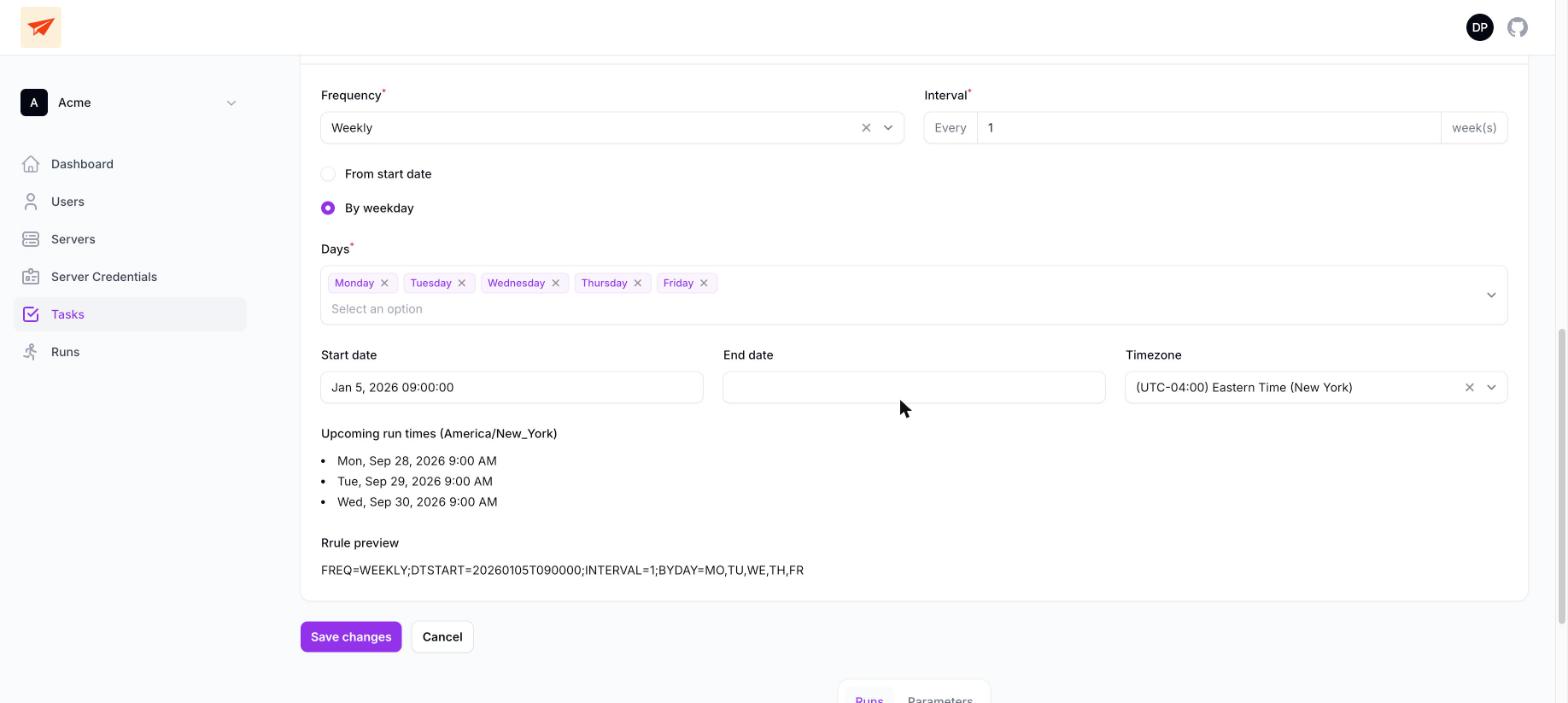
Weekdays at 9:00 AM, New York time, with the next runs previewed as you edit. No more squinting at 0 9 * * 1-5 and hoping.
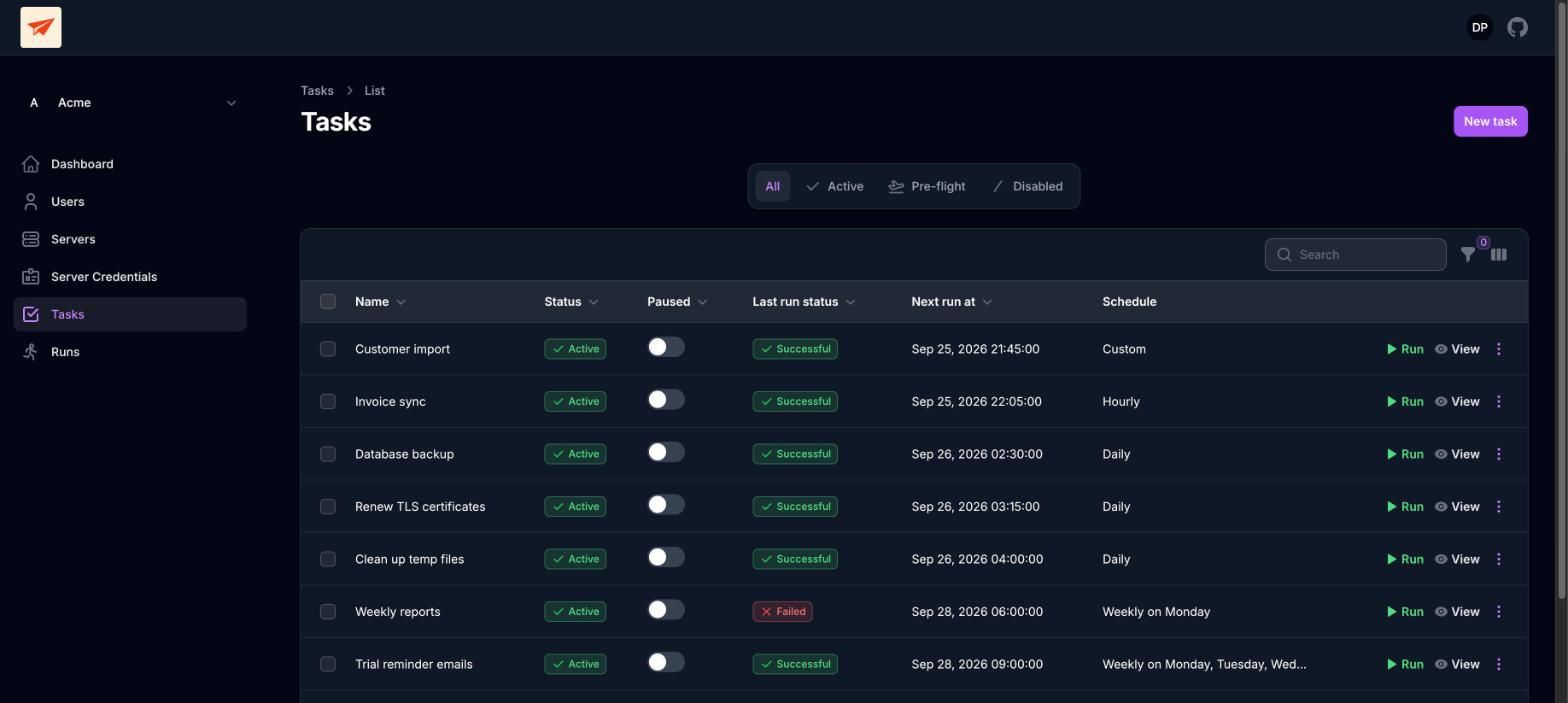
Task list, then the failed task, then its run output. That's the whole investigation.
Cron Pilot is a Laravel app. Two long-running processes do the work, and everything they see ends up in the run history.
schedule:work checks which tasks are due.
Due tasks are queued. If the last run is still going, the new one is recorded as Skipped.
queue:work picks up the job and connects over SSH with the task's credentials.
The command runs where it always did. Nothing to install on it.
Output, exit status and duration come back and are kept with the run.
Then the scheduler checks again a minute later.
This list is what ships in the repo right now. Planned work is further down, labelled as such.
Every second to once a year, specific weekdays, "the second Tuesday", start and end dates, and a timezone per task. A 9 AM task stays at 9 AM through daylight saving changes.
Tasks run over SSH with credentials you choose per task. Private keys and passphrases are stored encrypted.
The output, exit status and duration of every run, kept and searchable from the UI.
Trigger any task on demand. You get a warning if it's already running.
A task never runs twice at once unless you allow it. A run that comes due mid-run is recorded as Skipped instead of piling up.
One toggle in the task list. A resumed task waits for its next scheduled time rather than firing immediately.
Keep teams, clients or projects apart, each with its own servers, credentials, tasks and history.
MIT licensed. Commands, output and credentials stay on your own infrastructure.
It's a standard Laravel app. If you've deployed one before, you know most of this already.
git clone https://github.com/cronpilot/cronpilot.git
cd cronpilot
composer install
npm install && npm run build
cp .env.example .env        # then set your DB_* values
php artisan key:generate
php artisan migrate

# Cron Pilot needs both of these running:
php artisan schedule:work   # checks for due tasks every minute
php artisan queue:work # runs themphp artisan db:seed --class=DemoSeeder creates a fictional "Acme" tenant with realistic tasks and a week of run history. It's what the screenshots above show.
A one-command Docker install (docker compose up -d) is on the roadmap. It isn't here yet.
I've run production scheduled jobs for years. The one I remember is a job that processed recurring donations. It stopped running, and nobody noticed for three days. We found out when someone contacted support. By then, hundreds of thousands of dollars in donations had been missed.
Nothing was wrong with cron. The job failed silently, on a server nobody was watching, with its output going nowhere.
Cron runs your jobs, but it doesn't help you look after them.
I turned what I learned into a conference talk about the mistakes teams keep making. Cron Pilot is the tool built from those lessons.

None of these are in the current release. They're listed so you know where the project is going.
Same open-source core, no servers to run. It doesn't exist yet. Join the waitlist and we'll tell you when it does.
We've sent a confirmation link to . Click it to join the waitlist. After that, we'll only email you when Cron Pilot Cloud launches. Until then, the self-hosted version is on GitHub.